Daily Quotas & Queue Control
Prevents individual users from monopolizing workstations. Automatically enforces daily and monthly time limits.

BiblioControl 5.0 allows libraries and public spaces to control who logs in, on which workstation, and for how long from a fast, centralized cloud web panel. We manage the infrastructure so your staff can focus on patron assistance.
Libraries, municipal centers, and community spaces face recurring challenges when managing shared PCs.
Prevents individual users from monopolizing workstations. Automatically enforces daily and monthly time limits.
Eliminates the complexity and hardware failure risks of on-premise local servers. Runs seamlessly in the cloud.
Restricts unauthorized Windows system settings, desktop icons, and commands, allowing only approved applications.
Forces browser closure and wipes download folders upon session completion to comply fully with privacy regulations.
BiblioControl 5.0 automates these workflows so library staff avoid repetitive disputes.
From initial room setup to automated workstation cleanup.
Configure daily minutes, monthly quotas, operating hours, and authorized programs from the web dashboard.
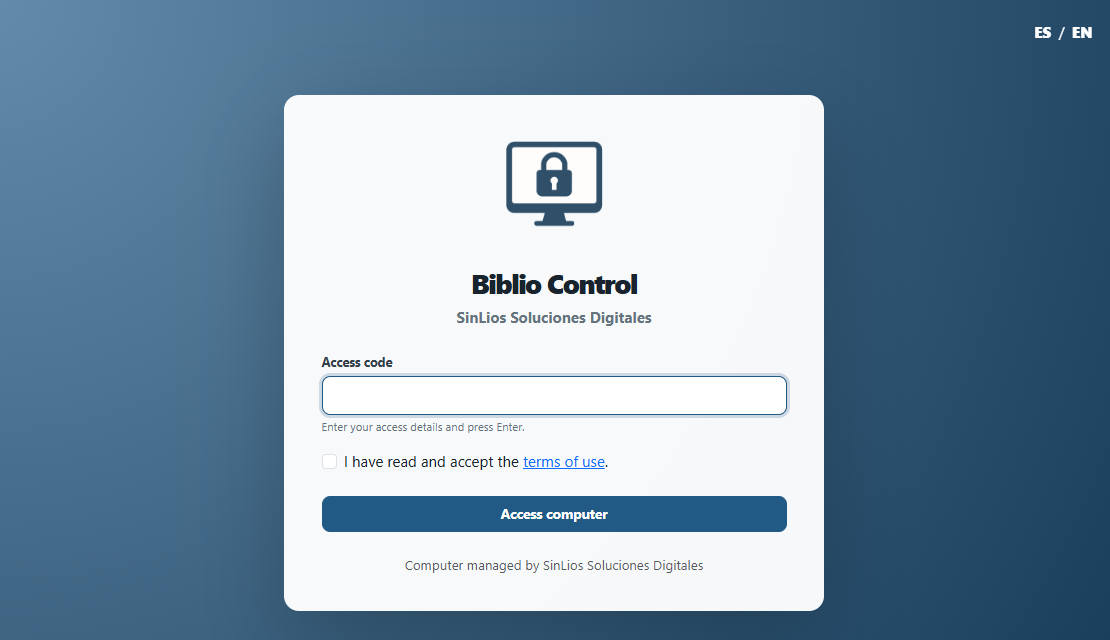
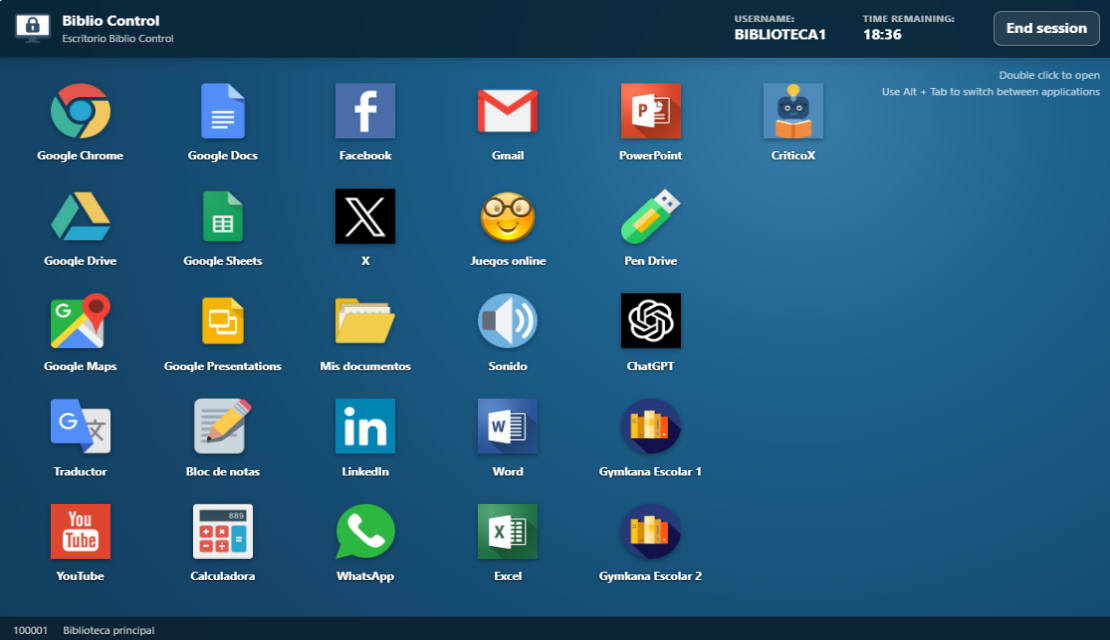
Desk staff scans the patron card barcode or patrons enter their credentials directly on the locked computer screen.
The on-screen timer keeps the user informed. When time expires, programs and temporary files are cleared automatically.
Discover Aula Control, our dedicated edition for educational institutions with classroom, course, and student group management.
Version 5.0 moves to a centralized cloud architecture paired with re-engineered Windows clients. No need to install or maintain local server hardware: SinLios handles cloud infrastructure, security backups, and continuous updates.
Ideal for municipal libraries, public reading networks, media labs, community centers, and any shared public computer facility.
Everything you need to organize public workstation access from a single place.
Fast patron search with barcode scanner, library card, ID, or keyboard with integrated quick registration.
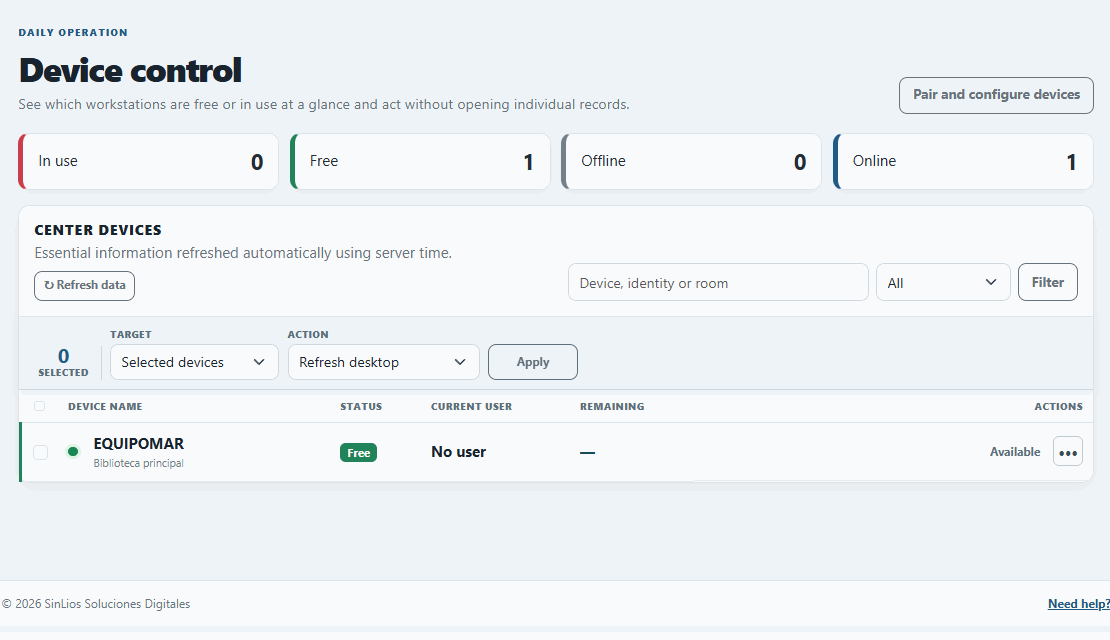
Live visibility into free, busy, or locked workstations, with remote control commands (shutdown, reboot, alerts).
A single, clean login form where patrons enter their library card, barcode, or credentials with no intermediate screens.
Configurable daily minutes, monthly accumulated limits, and on-screen warning countdowns synced with official server time.
Customizable application launcher with authorized programs and web links, preventing unauthorized Windows changes.
Forced termination of open applications and web browsers, plus automatic deletion of temporary downloaded files upon session exit.
Automated heartbeat signals immediately release orphan sessions if a workstation experiences an unexpected power loss.
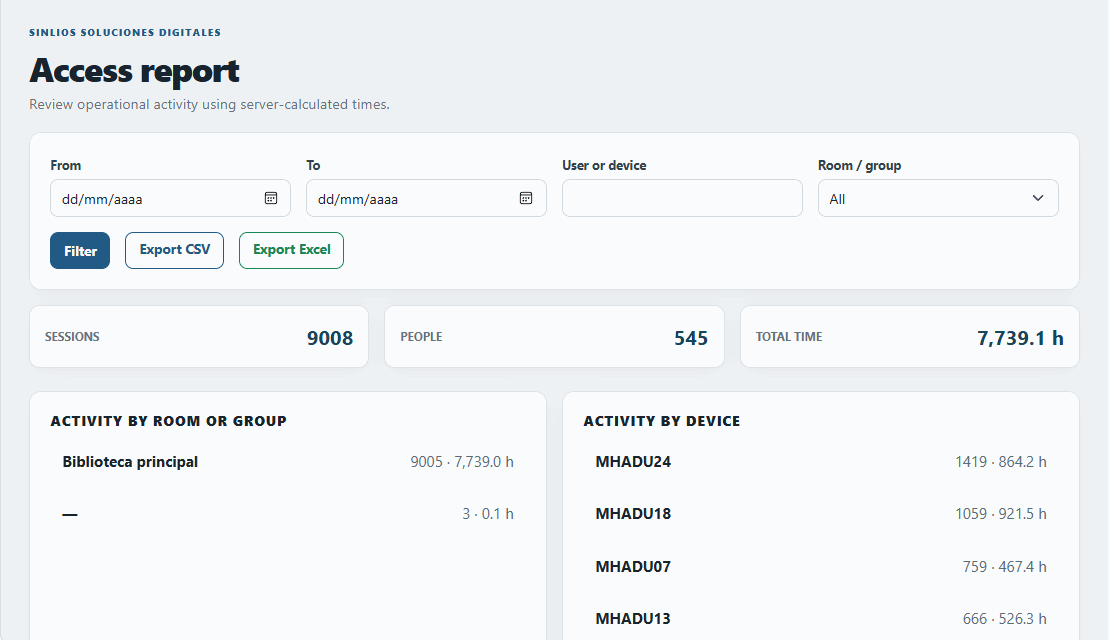
Comprehensive historical logs with CSV and Excel export for annual reports and public service justification.
Dozens of municipal libraries and public cultural centers rely on BiblioControl daily to manage their public computers.
Toledo, Sta. Cruz de Tenerife & La PalmaLibrary networks
Collado Villalba, L'Olleria, AzpeitiaMunicipal public libraries
Tudela de Duero, Berja, Breña Alta & Institut XXV OlimpiadaShared computer labs
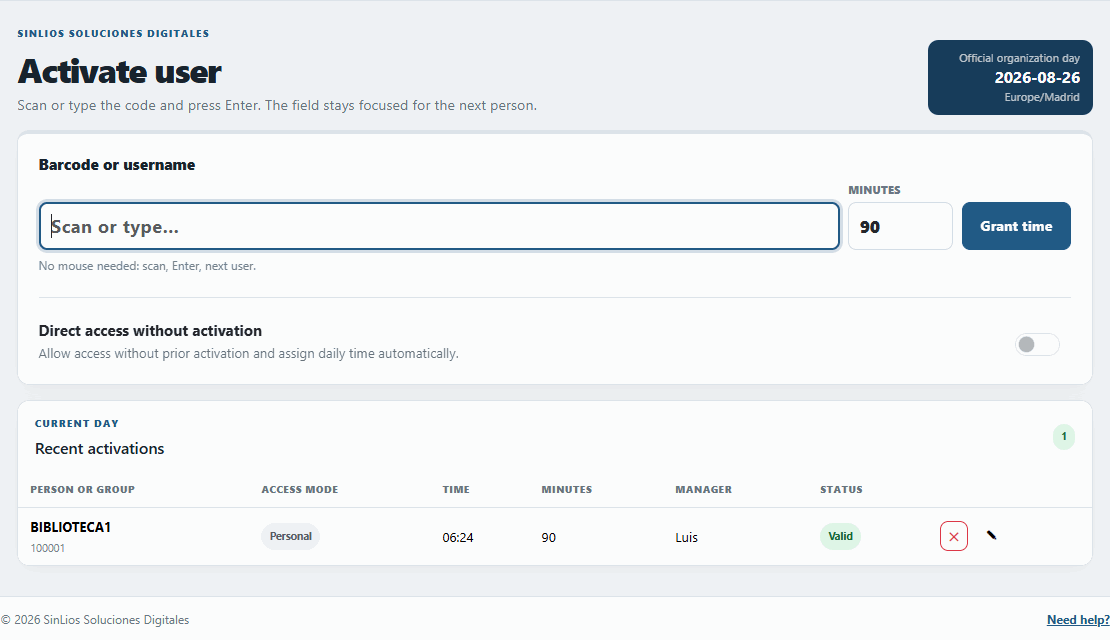
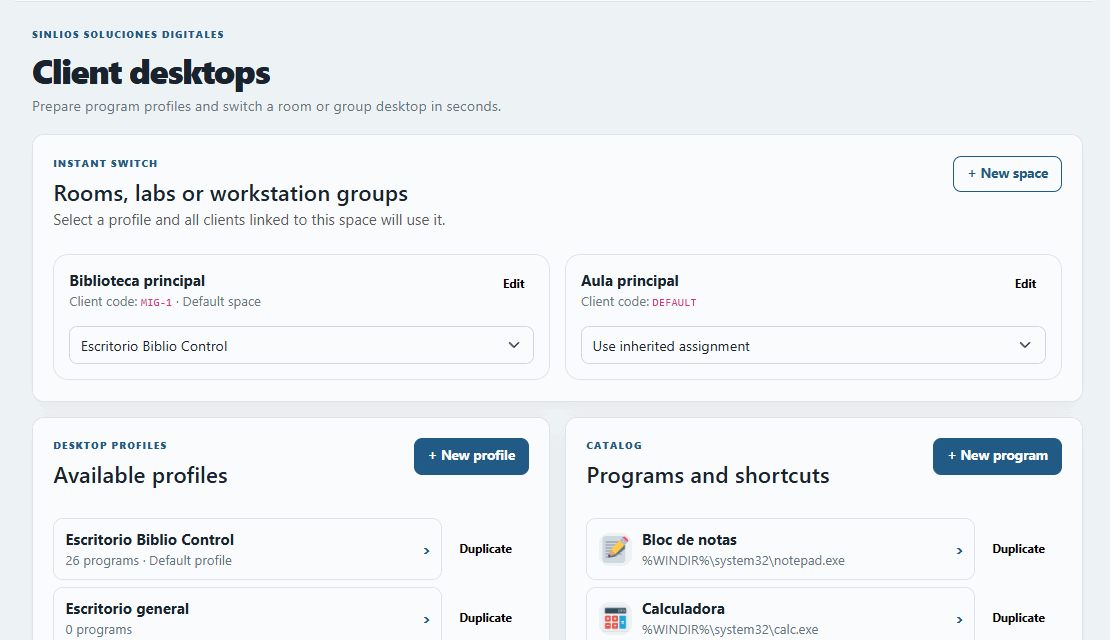
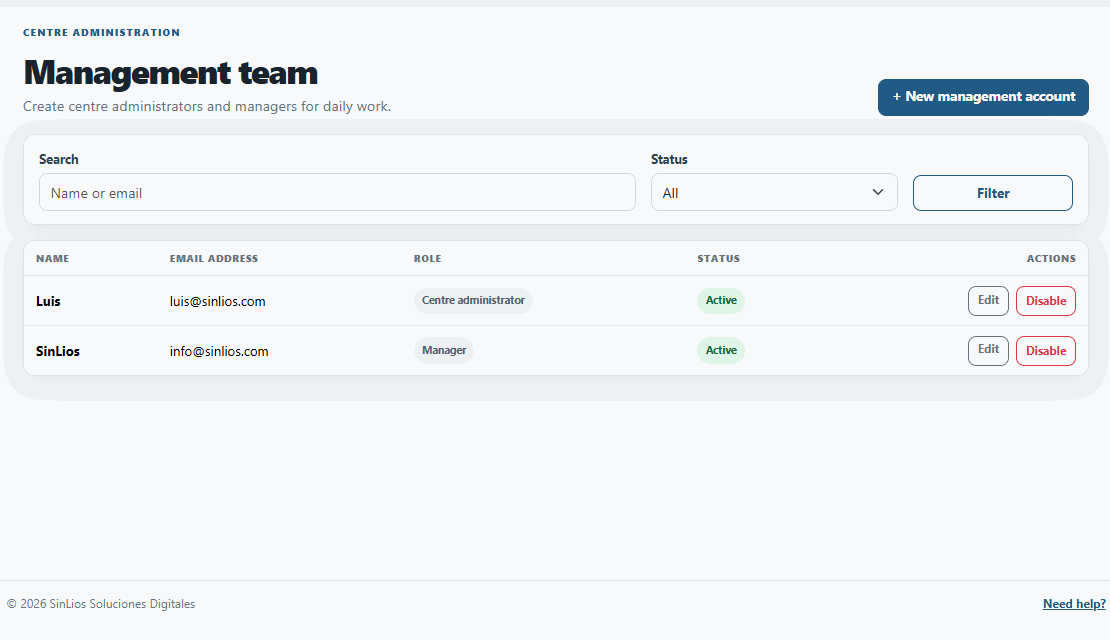
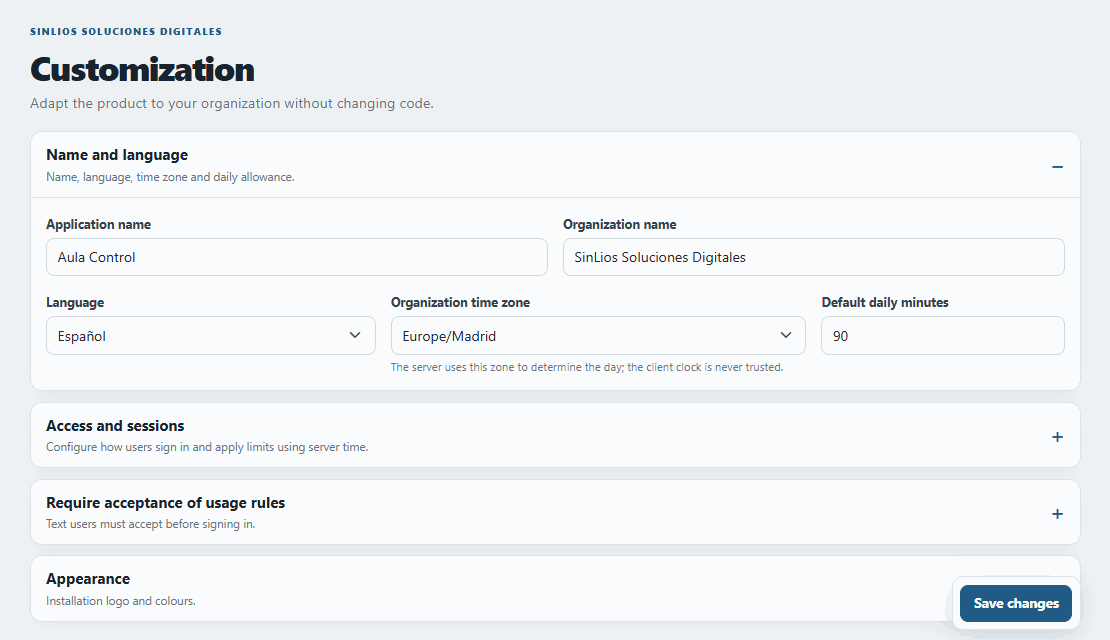
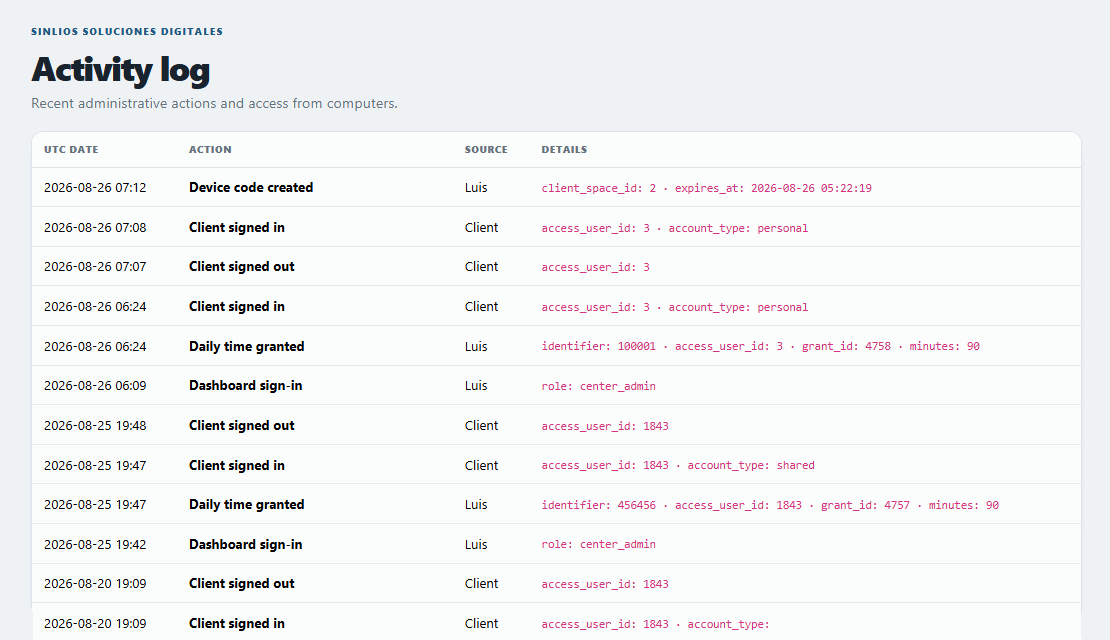
Real screens from the platform: workstation monitoring, express desk activation, activity statistics, policy setup, and client desktop customization.
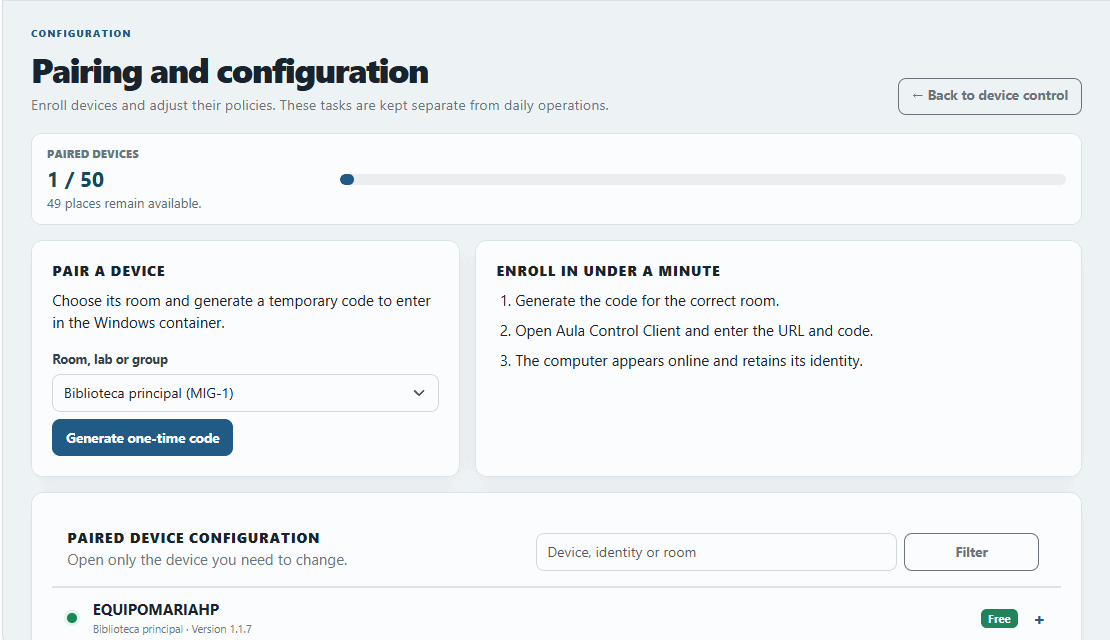
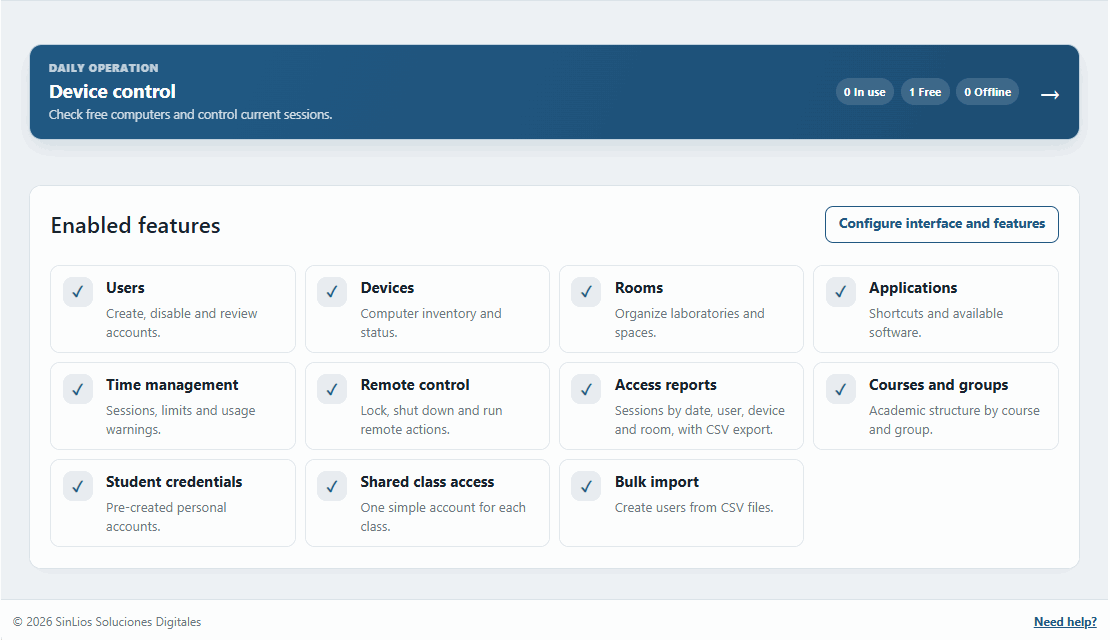
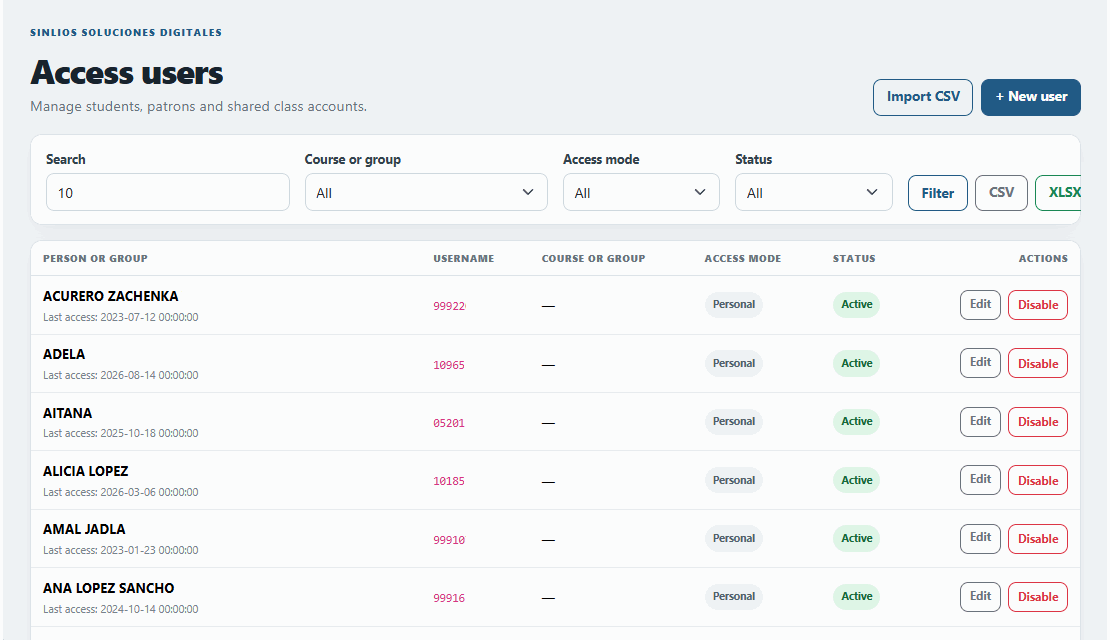
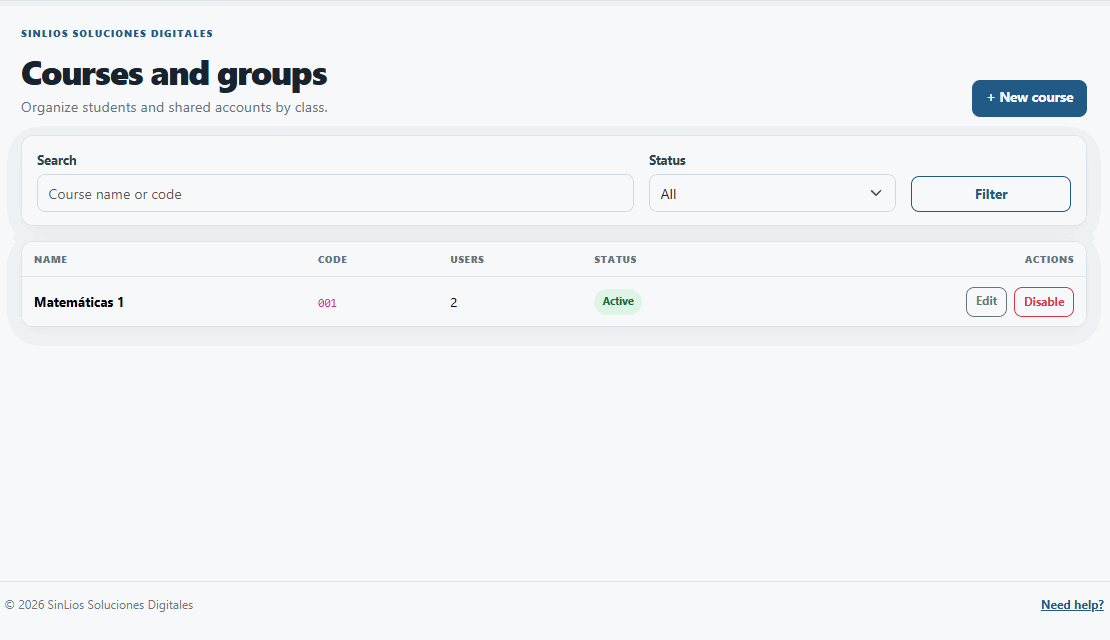
All plans include full cloud server hosting, automated backups, client software, continuous updates, and technical support. No hidden setup fees.

€360/year
+€39/PC/year
From 6th to 20th computer
+€29/PC/year
From 21st computer onwards
€360/year up to 5 PCs + €39/year per PC from 6th to 20th + €29/year per PC from 21st onwards
BiblioControl uses a flat base fee for small facilities and an incremental cost per additional workstation as your network grows. This avoids steep tier jumps and provides a clear, defensible budget calculation for public procurement.
Reference examples: 5 PCs = €360/yr · 10 PCs = €555/yr · 20 PCs = €945/yr · 30 PCs = €1,235/yr · 50 PCs = €1,815/yr
Immediate access with no waiting. Log in to our public demo instance to test the cloud management panel, activate patrons, and verify real-time monitoring.
Data resets automatically every 24 hours. Supports up to 2 concurrent connected Windows client PCs.
We'll walk you through a brief online demonstration and assess how to adapt it to your institution's specific rules and workflow.
Clear answers for library managers, municipal IT services, and public procurement officers.
Have another question?It is specifically optimized for municipal public libraries and reading rooms, but it is also widely used in cultural centers, community telecenters, public computer labs, and media centers. For schools and academic institutions, we provide Aula Control.
Yes. For schools, colleges, universities, and training academies we offer Aula Control, tailored for computer lab sessions, student groups, courses, and academic schedules.
No. BiblioControl 5.0 runs on a high-availability cloud server managed by SinLios. We manage server infrastructure, security patches, and backups, providing you with direct web panel access.
You can access demo.bibliocontrol.es/admin with username demo@bibliocontrol.es and password bibliocontrol123. You can test all panel features and connect up to 2 client PCs. Data resets every 24 hours.
A lightweight, native Windows client (Windows 10 & 11) built with WebView2 and WinAPI that manages full-screen lockdown, the application launcher, and automated session termination.
Yes, 100%. The desk activation interface is designed for instant barcode scanning of library cards or IDs and assigns time simply by pressing Enter.
Yes. You can configure daily limits and monthly quotas according to your center's regulations. All calculations sync with official server time to prevent tampering.
Yes. From the cloud web panel, authorized staff can lock, unlock, extend time, shut down, or restart any workstation in real time.
The system sends continuous heartbeats. If a PC loses connection or powers down, the server automatically ends the session after 3 minutes, freeing the patron without manual intervention.
Upon session end, BiblioControl forces browser closure and can automatically wipe downloaded files and temporary folders so subsequent users cannot access personal data.
Yes. The platform allows organizing your installation across multiple rooms, branches, or computer groups with distinct policies and launchpads.
Used by municipal libraries and public centers across Toledo, Sta. Cruz de Tenerife, La Palma, Collado Villalba, L'Olleria, Tudela de Duero, Berja, Breña Alta, Azpeitia, and the Institut XXV Olimpiada in Barcelona, among others.
Yes. BiblioControl is provided as a transparent, progressive annual subscription with no sudden tier price jumps.
Yes. The annual subscription includes platform updates, new features, and direct technical support for any inquiries or incidents.
We provide official quotes, technical specifications, and tax documentation to enable procurement through standard municipal administrative procedures.